
of surveyed secondary teachers who had used generative AI said they used it to create lesson or curriculum resources.
UK Department for Education, School and College Voice, December 2025Academic Track Engine · by Bankai Technologies
From curriculum requirements to materials teachers can use.
ATE helps teachers prepare curriculum-grounded lessons, teaching materials and assessments—with school context, software rules and educator judgement kept in view.
The preparation problem
Preparation is where curriculum becomes teachable.
Teachers must locate the right curriculum content, shape a useful lesson, prepare materials and assessments, and decide whether generic AI output fits the class in front of them.

Illustrative image
Research on teacher preparation
Teachers are already using AI for preparation.
Research from UK schools shows where AI is helping teachers plan and create resources. ATE brings that work into curriculum and class context.
less time on planning and administration in a UK trial using ChatGPT for lesson preparation—about 25 minutes per week.
UK Department for Education, AI in schools and FE: findings from early adopters, 2025Inside ATE
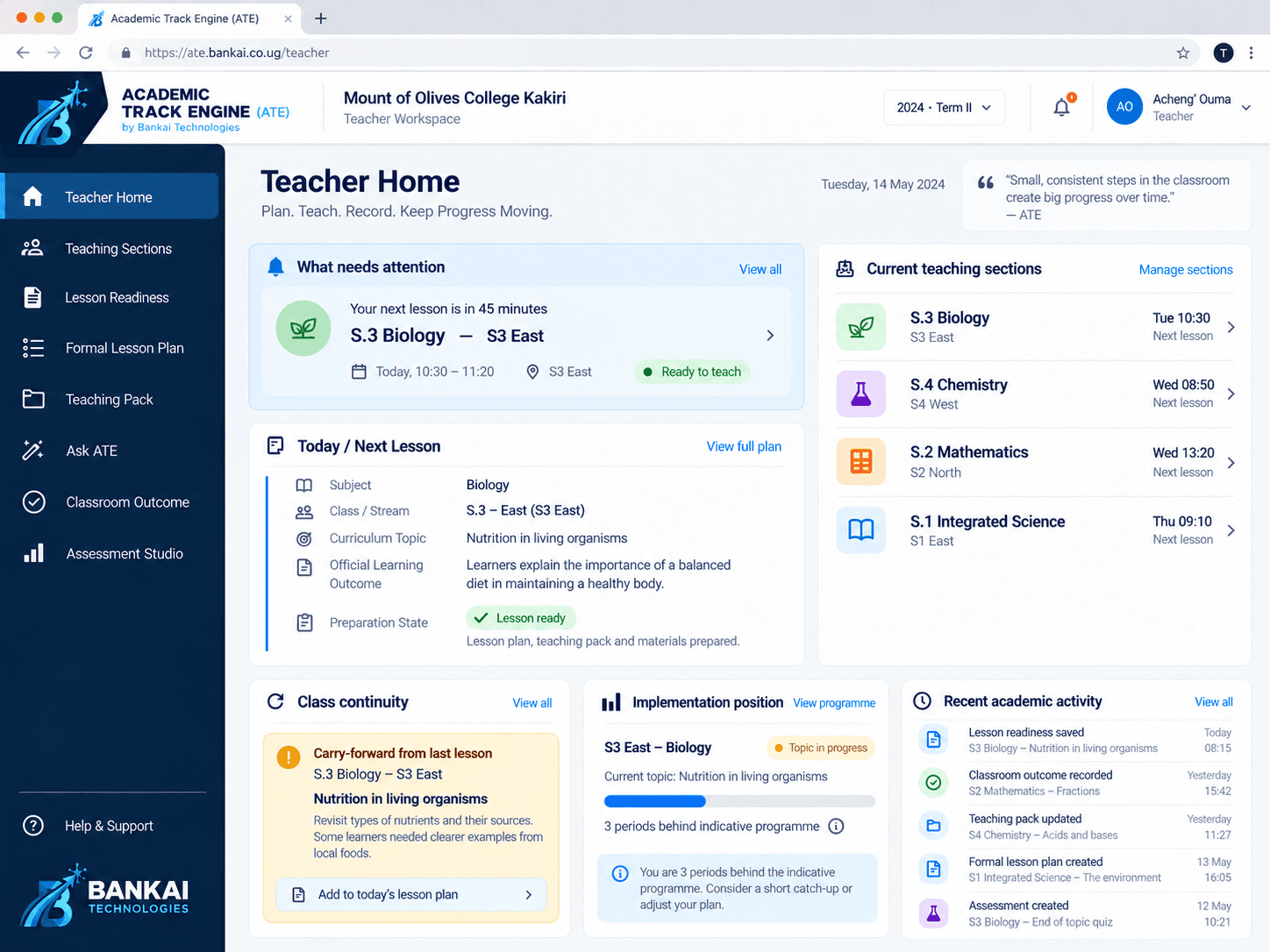
See how preparation comes together.
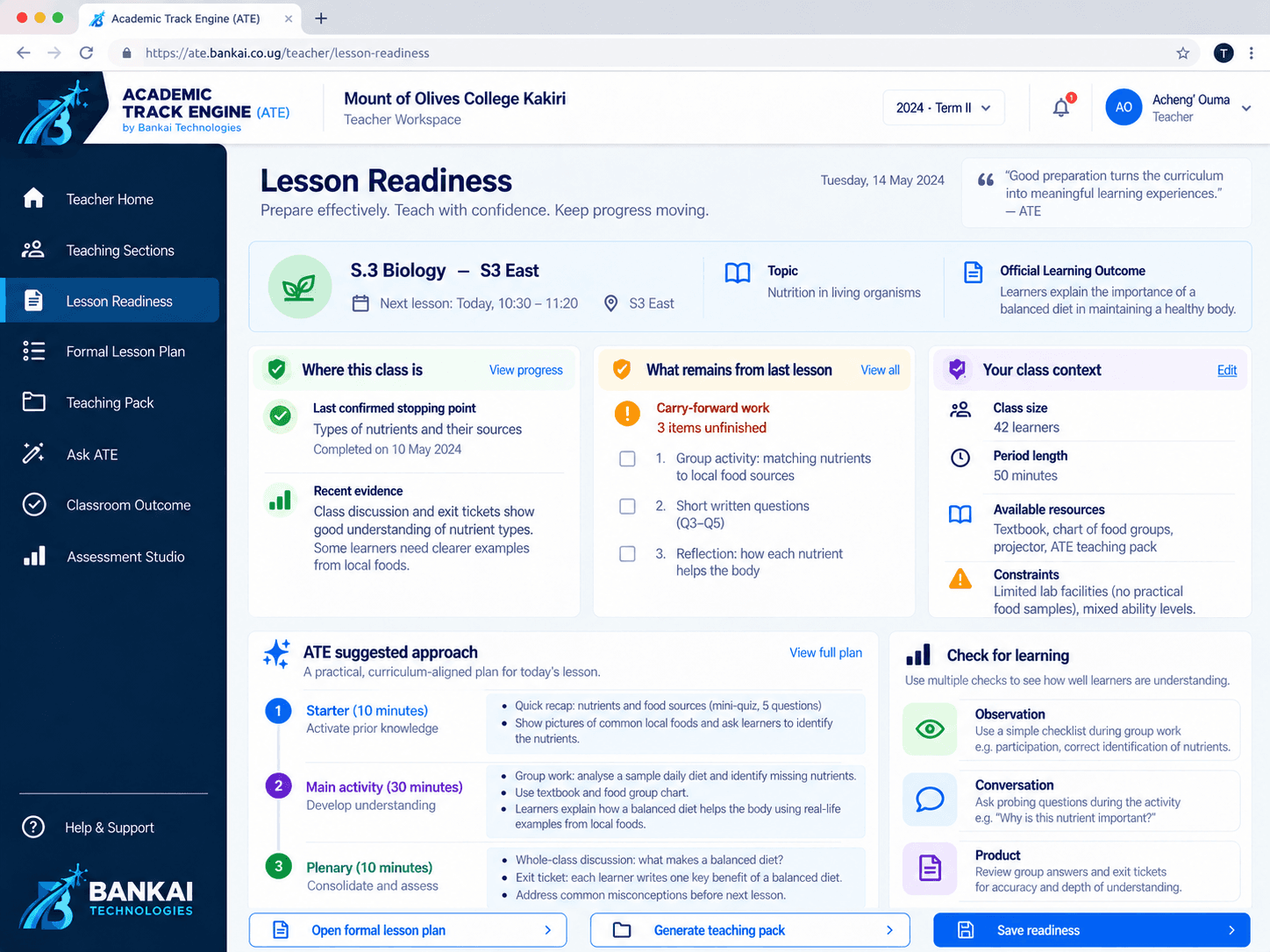
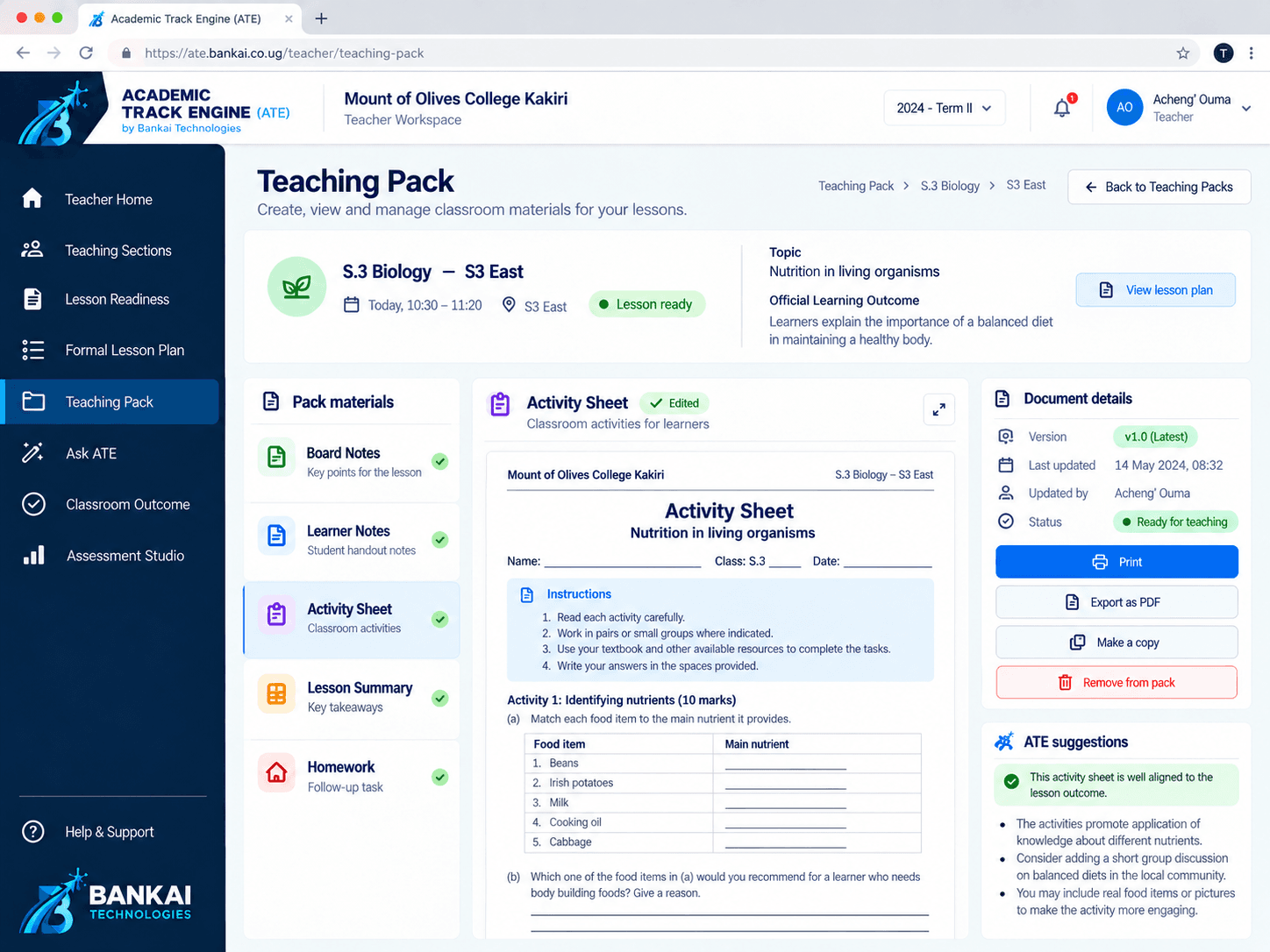
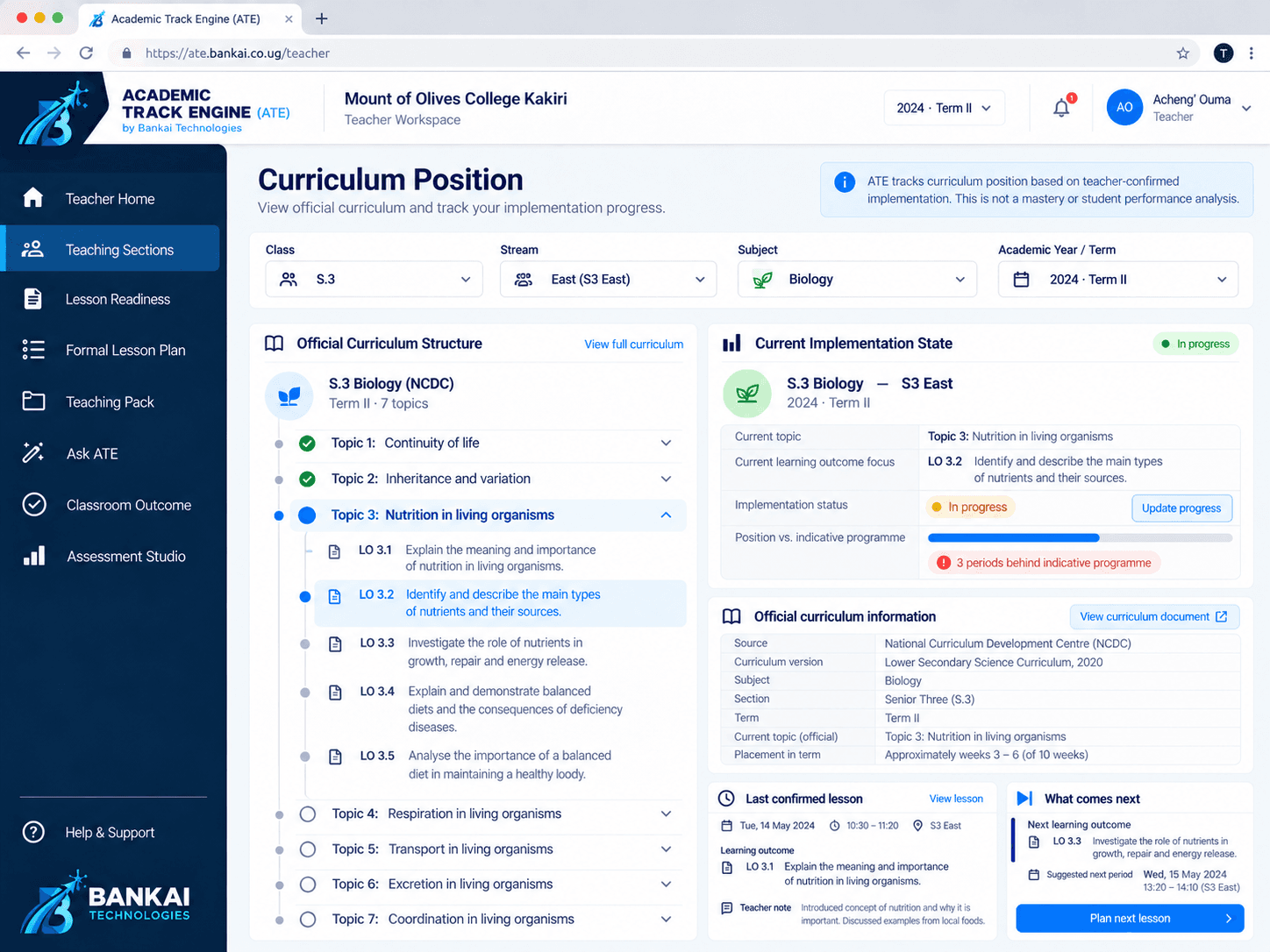
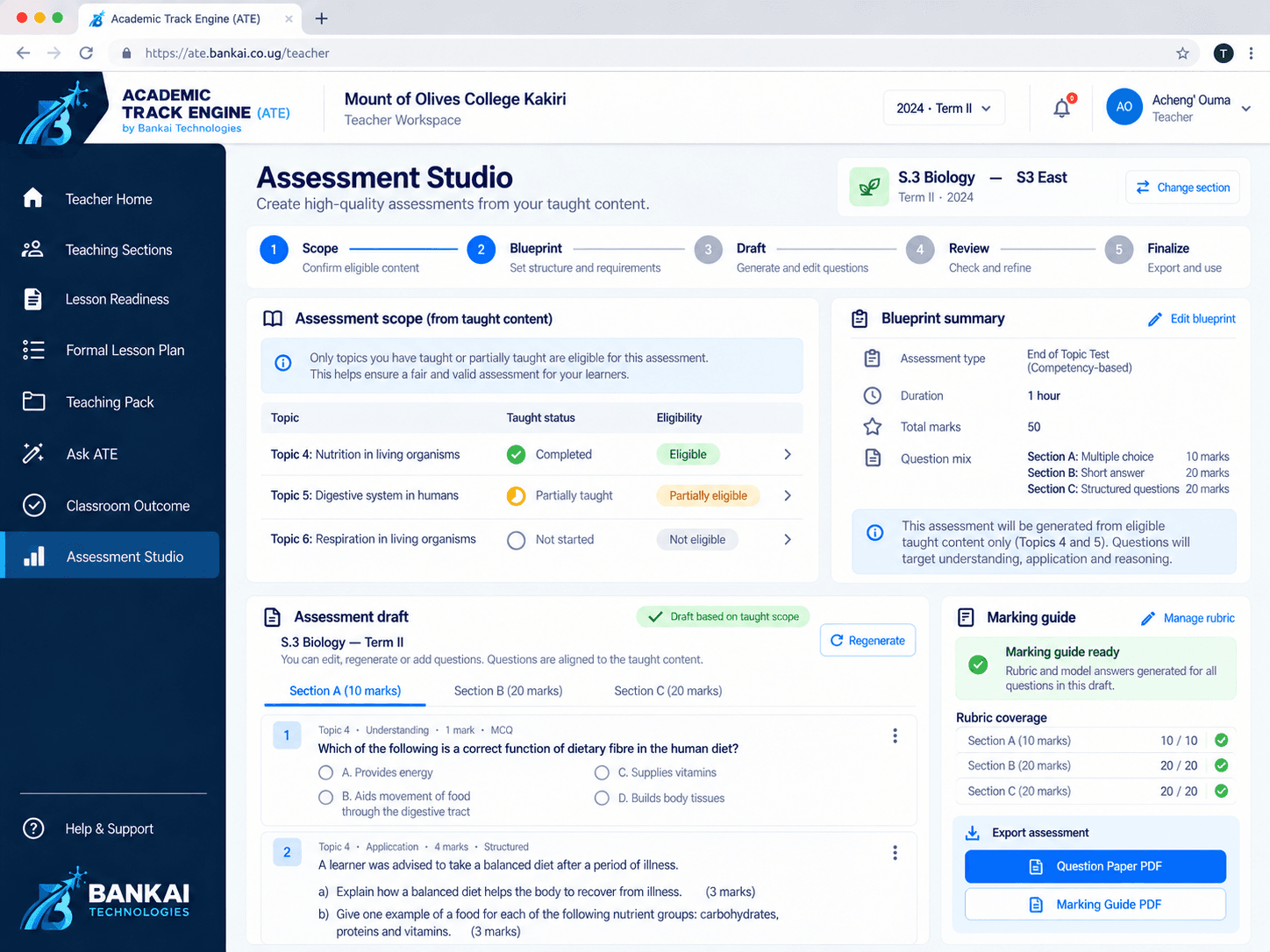
Explore curriculum position, lesson readiness and assessment in the ATE workspace.
Illustrative teacher journey
Follow a lesson with ATE.
One possible route from curriculum position to the next lesson, told through a sample S2 Physics class.
Context before prompts
Tuesday, 8:10 AM. Ms. Amina is preparing S2 East for Pressure in Fluids. ATE brings together the class, curriculum position, previous lesson and the 40 minutes available.
Lesson Readiness
The relevant context resolves into a practical learning focus, a carry-forward item, suggested approach, resources and a check for understanding.
One lesson. A complete teaching pack.
The formal lesson plan, board notes, learner activity and learner notes derive from the same lesson rather than becoming disconnected generations.
Adapt without starting again
Without enough apparatus for every group, she asks to adapt one activity into a teacher demonstration with learner observation groups, then reviews the proposed change.
ConstraintNot enough apparatus for six groups
Proposed adaptationOne teacher demonstration + observation groups
ATE gets out of the way
In class, the teacher leads. Prepared materials stay close without making the software the centre of the room.

Reality carries forward
The discussion runs long. Ms. Amina records the lesson as partially completed and notes that questions 3–5 remain. The next lesson does not start from zero.
Partially completedQuestions 3–5 carry into the next lesson.
Curriculum → preparation → materials → classroom → next lesson
For teachers
Prepare with context. Keep professional control.
Turn the next curriculum requirement into an editable lesson, useful teaching materials and aligned assessment work.
For schools
Coordinate without turning teaching into surveillance.
Give HODs, Directors of Studies and principals a clearer view of confirmed academic work while teacher judgement remains explicit.
Teacher control
AI proposes. Educators decide.
ATE uses verified context and software rules before AI assistance. Teachers review, adapt and approve consequential outputs.
- 01Curriculum and class context
- 02Deterministic workflow rules
- 03Reviewable AI drafts
- 04Educator decision
Built in Kampala
Technology shaped around the work of teaching.
Bankai Technologies builds tools that connect curriculum expectations, teacher preparation and the decisions schools make every day.

Twinomugisha Elvis Paul
Founder

Nziza Joshua Gatare
Founding Team

Mutaruha Jeremy
Founding Team
See the preparation flow
Bring one class, one subject and one lesson.
We will walk through how ATE could support your school’s existing academic routines.
Request a demonstration